Scribe2 min read
Scribe has one page on every device, and what it makes stays on the reply
Ask Scribe from Home, from a pursuit or from its own page. Charts, tables and cards it makes ride on its answer, so they are there when you reopen the chat anywhere.
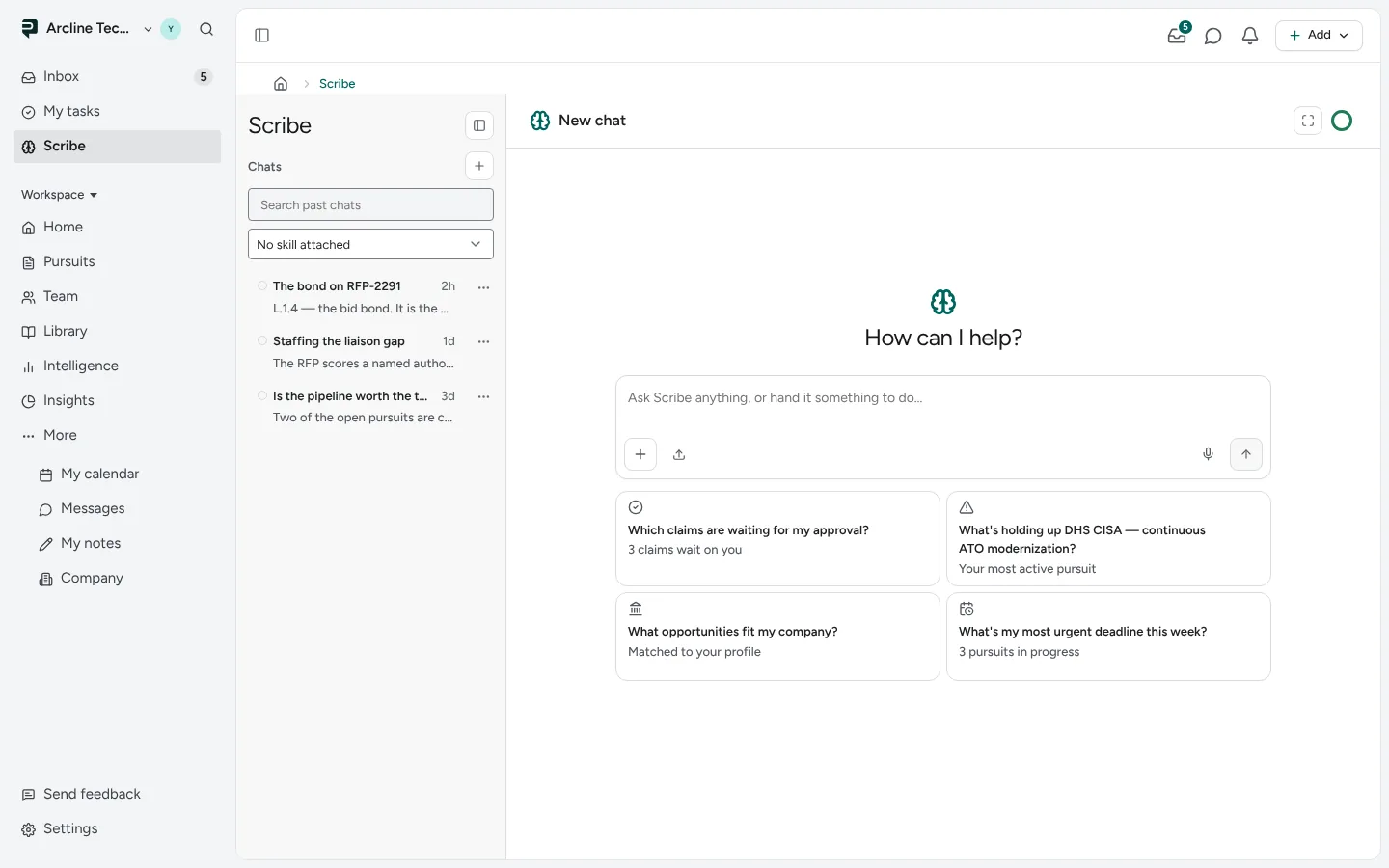
Scribe, Paavya's assistant, now lives on one full page, on the desk and on the phone alike, with your past chats listed beside the conversation.
Every question lands in the same place
- On Home, a typed question or a pick from the plus menu opens as a new chat on the Scribe page.
- Beside a pursuit, Ask Scribe about this opens a new chat with that pursuit already in view, so "what is blocking this?" means this bid.
- On the Scribe page, a new chat opens with How can I help? and suggested questions drawn from your workspace.
You can pin a chat, attach a skill such as your proposal voice, or attach a file.
What it makes stays put
When Scribe answers with a chart, a table or a card you can press, that piece stays on its reply. Reopen the chat tomorrow, on another device, and it is still there. A question about your numbers, such as how your win rate moved by quarter, can come back as a chart with the table beside it.
Talking works the same way
Press the microphone in any Scribe composer to talk instead of type. What Scribe makes during a spoken conversation is saved in the same chat, so you can look at it later.
Pictures are from Paavya's demo workspace, so names, bids and figures are illustrative.