Answers, claims and sources
Find an approved answer by meaning, see how it has performed, check the claims inside it and the documents behind them.
Knowledge: your answers
Knowledge is the table of reusable answers.
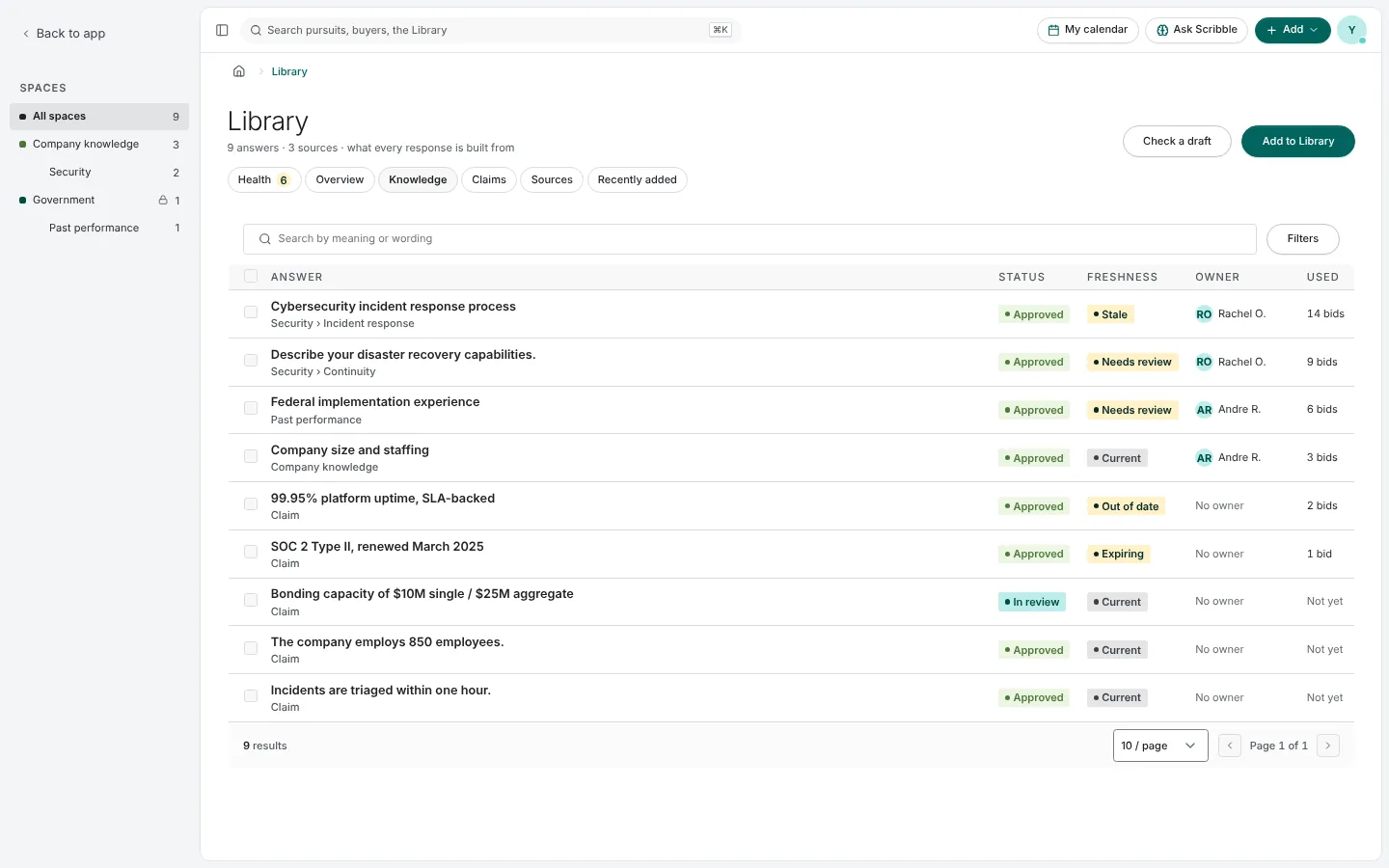
- Status is what a person chose: Draft, In review, Approved or Archived.
- Freshness is worked out for you: Current, Needs review, Stale, Out of date, Expiring. Each comes with its reasons. An answer edited after it was approved says so, because the new wording has not been reviewed.
- Owner and Used, the number of bids it went into.
Search by meaning or wording finds an answer even when you do not use its words: "how we handle data breaches" finds your incident response answer. Results found by meaning alone are labeled. Filters narrow by space, category, status, freshness and owner, and you can save a view.
An answer's page
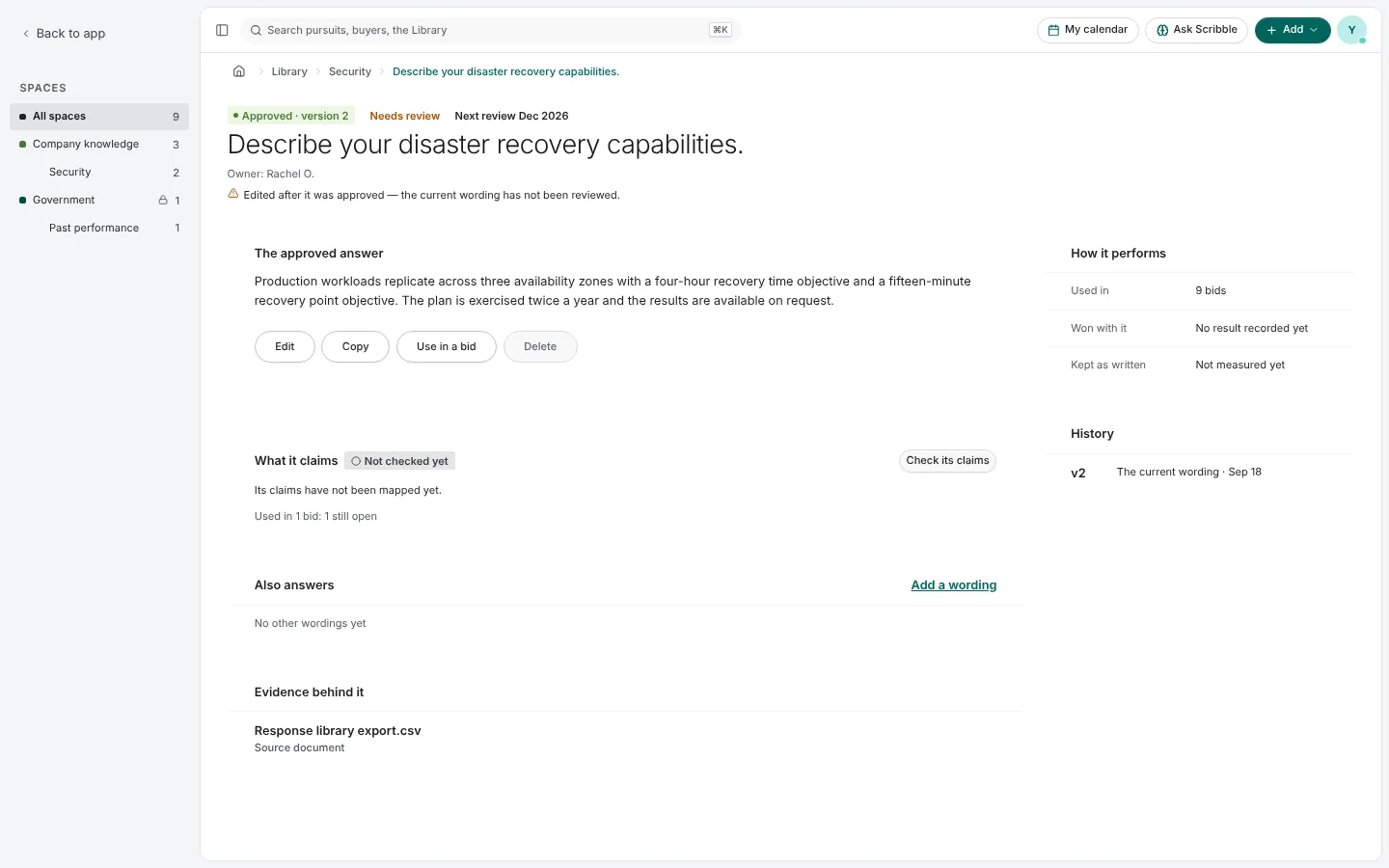
- The approved answer, with Edit, Copy and Use in a bid.
- How it performs: bids it was used in, won with it, and how much of it was kept as written.
- History: every version. Restoring an old version adds a new one and needs approving again.
- What it claims: the facts inside it, each marked with its evidence state.
- Also answers: other ways a question is worded that this answer serves.
- Evidence behind it: the documents it rests on.
Claims
Claims lists the facts your answers make, each with its state: Verified, Pending approval, Expiring soon or Expired.
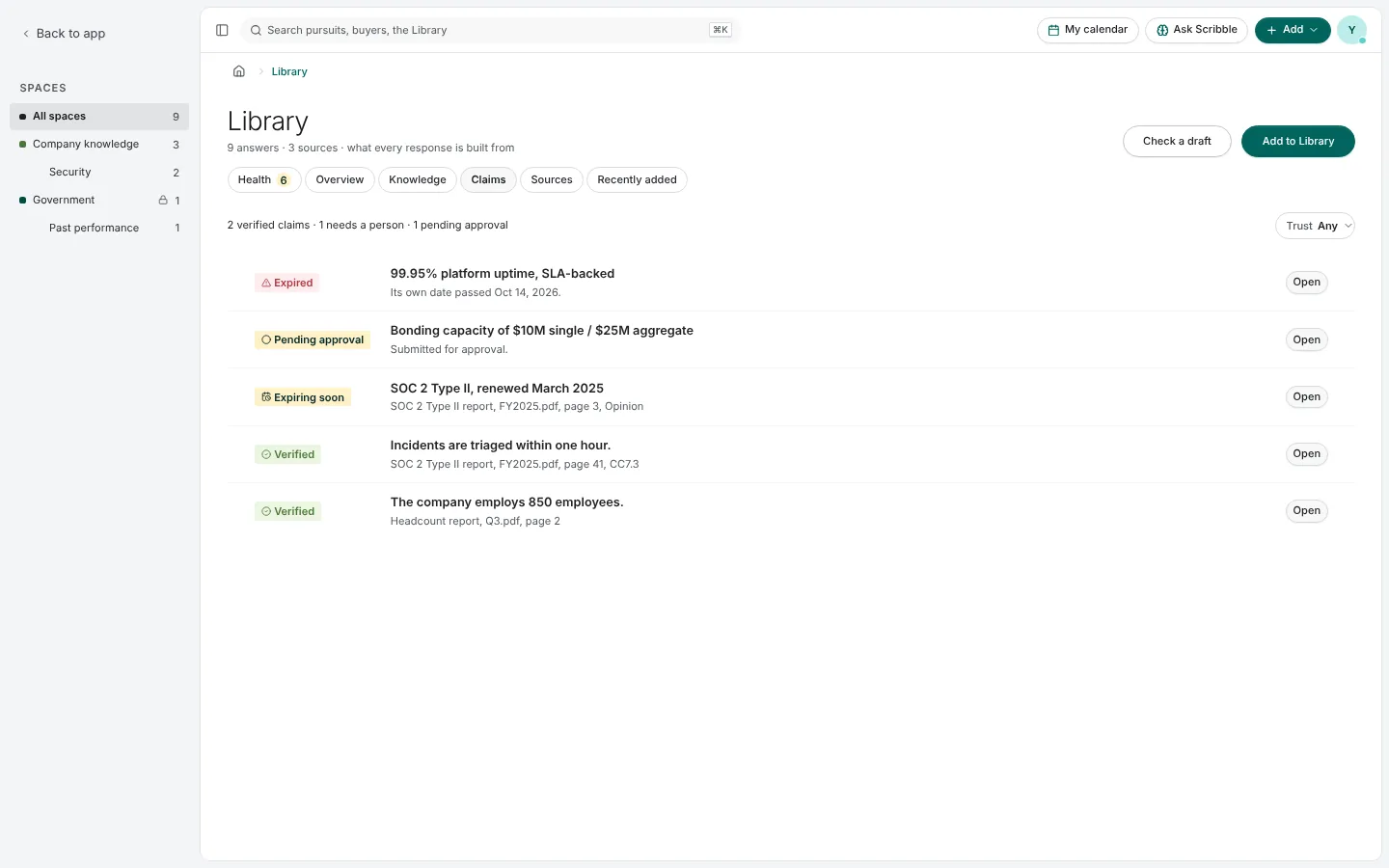
Only an approved passage from a document of record verifies a claim. When two documents give different figures for the same fact, the Library shows a conflict and asks a person to decide which is true.
Sources
Sources lists the documents in the Library and what Paavya read from each. Upload adds a file; Import knowledge brings in a spreadsheet of question-and-answer pairs. See what came out shows what Paavya took from a file. A document's own answers can become draft entries with one press, waiting for someone to approve them.
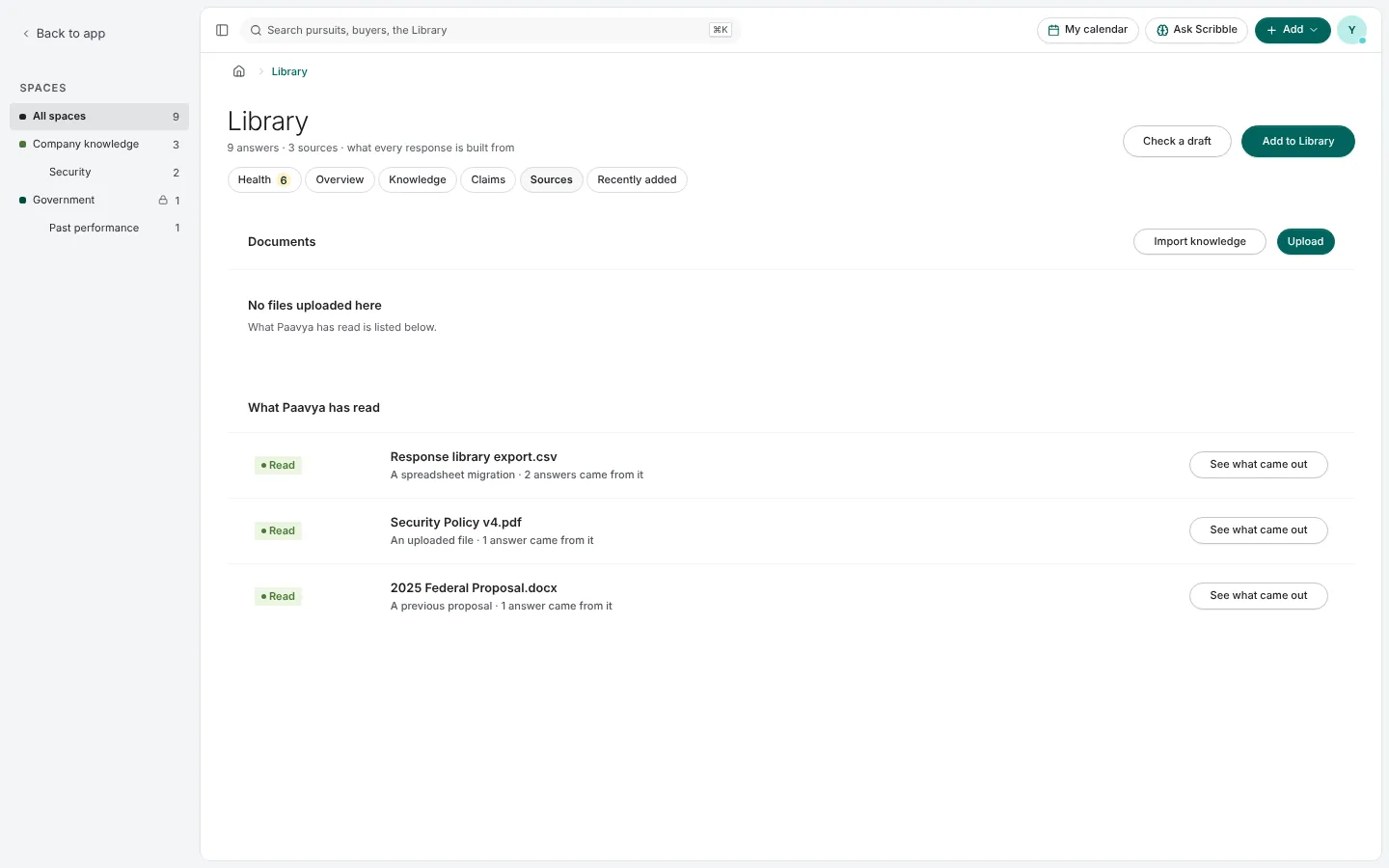
Pictures are from Paavya's demo workspace, so names, bids and figures are illustrative. Something here does not match what you see? Tell us, or ask Scribble in the app.