My Notes
Private notes that remember where you wrote them. Only you can read them, not even admins.
My Notes is your private notebook. Only you can read your notes, not even an administrator.
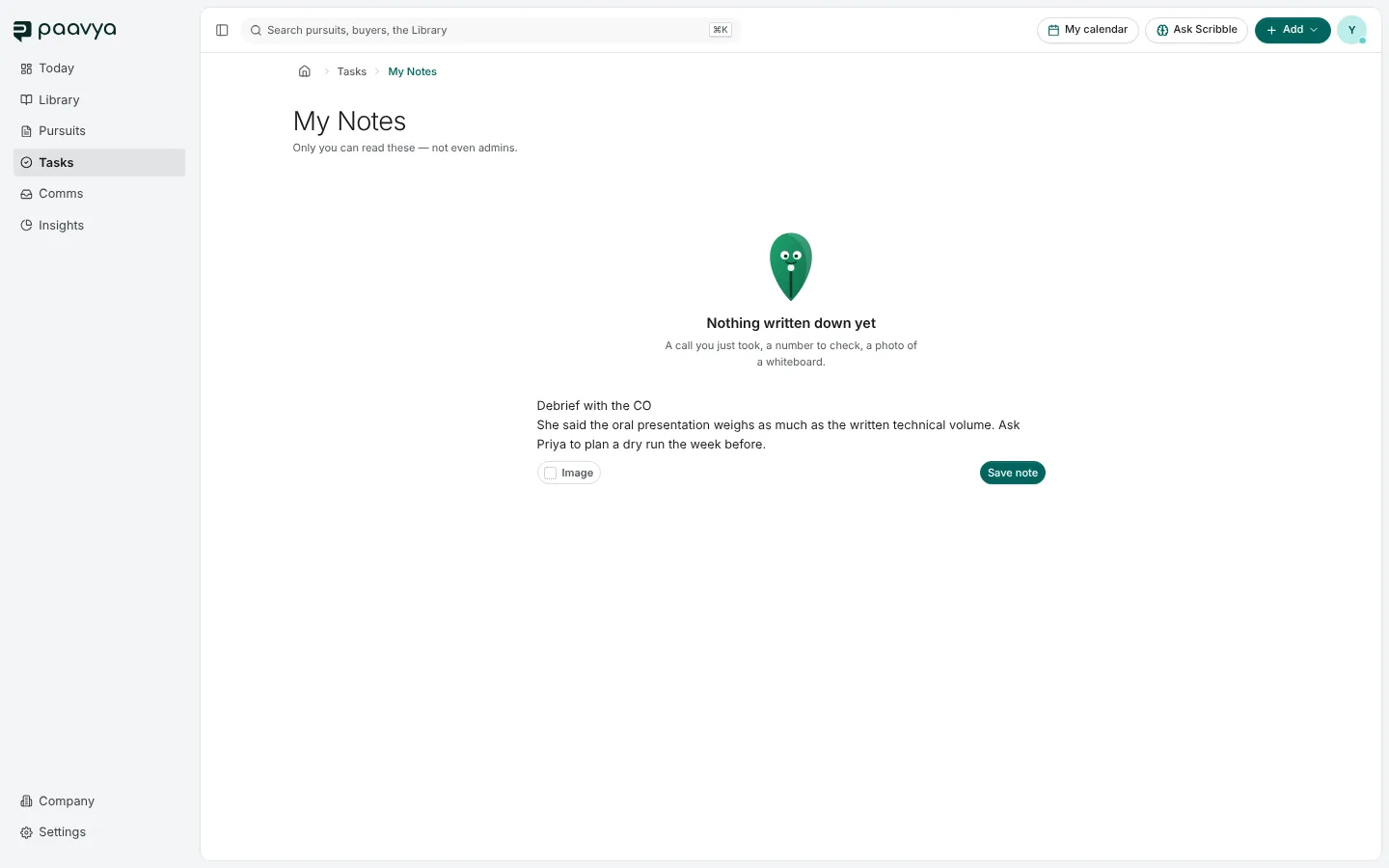
Writing a note
- The first line is the title.
- Add an image, such as a photo of a whiteboard.
- ⌘↵ (Ctrl+Enter) saves. Paavya also saves as you go and says when it last saved.
- Format with the same bar as the drafting workspace: headings, bold, lists and links.
Notes that know where you were
Add › Add a note opens Notes beside whatever page you are on, already labeled with where you are, such as a pursuit's Decide page. It can also take a snapshot of the page and a short summary of what it showed, either of which you can remove. In My Notes, every note shows where it was written, with Go to page to return there, and you can filter by place.
My Notes lives under Tasks, from My notes at the top of the Tasks page.
Pictures are from Paavya's demo workspace, so names, bids and figures are illustrative. Something here does not match what you see? Tell us, or ask Scribble in the app.