Buyers
The organizations you bid to, your record with each, and how their live bids read.
Pursuits › Buyers lists every organization you bid to. A buyer is the agency or company whose award you are chasing; the record you build with them is what makes the next bid easier to call.
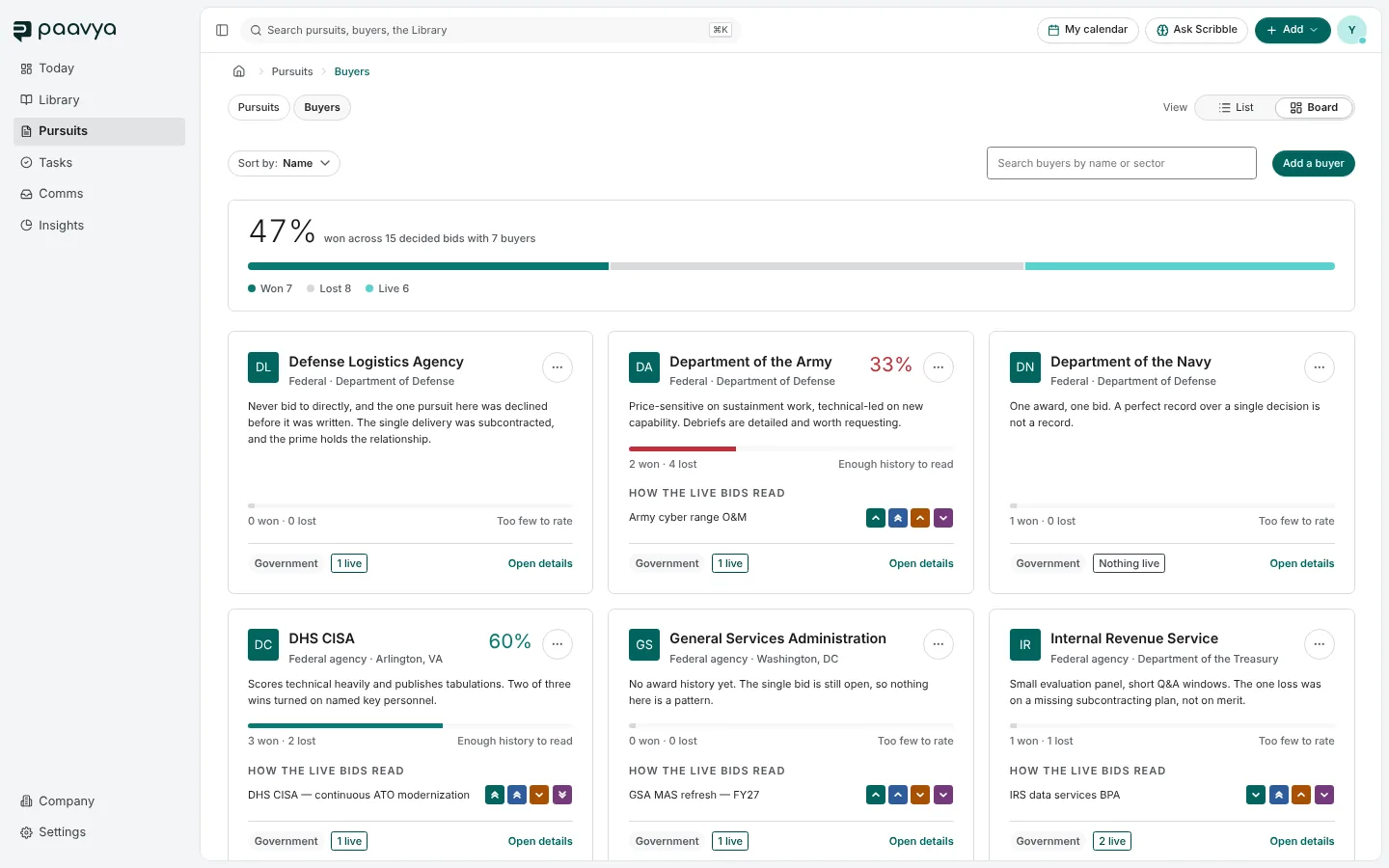
A buyer's card
- The buyer's name, type and parent organization, with your win rate once there is enough history to read one. With too few decided bids it says "Too few to rate" rather than a misleading number.
- A short note on how they buy.
- How the live bids read: each open pursuit with this buyer, with its four pillar marks.
- Open details opens the buyer's page.
Switch to List for the same buyers as a table. Sort by and the search box narrow it down, and Add a buyer creates one.
The buyer's page
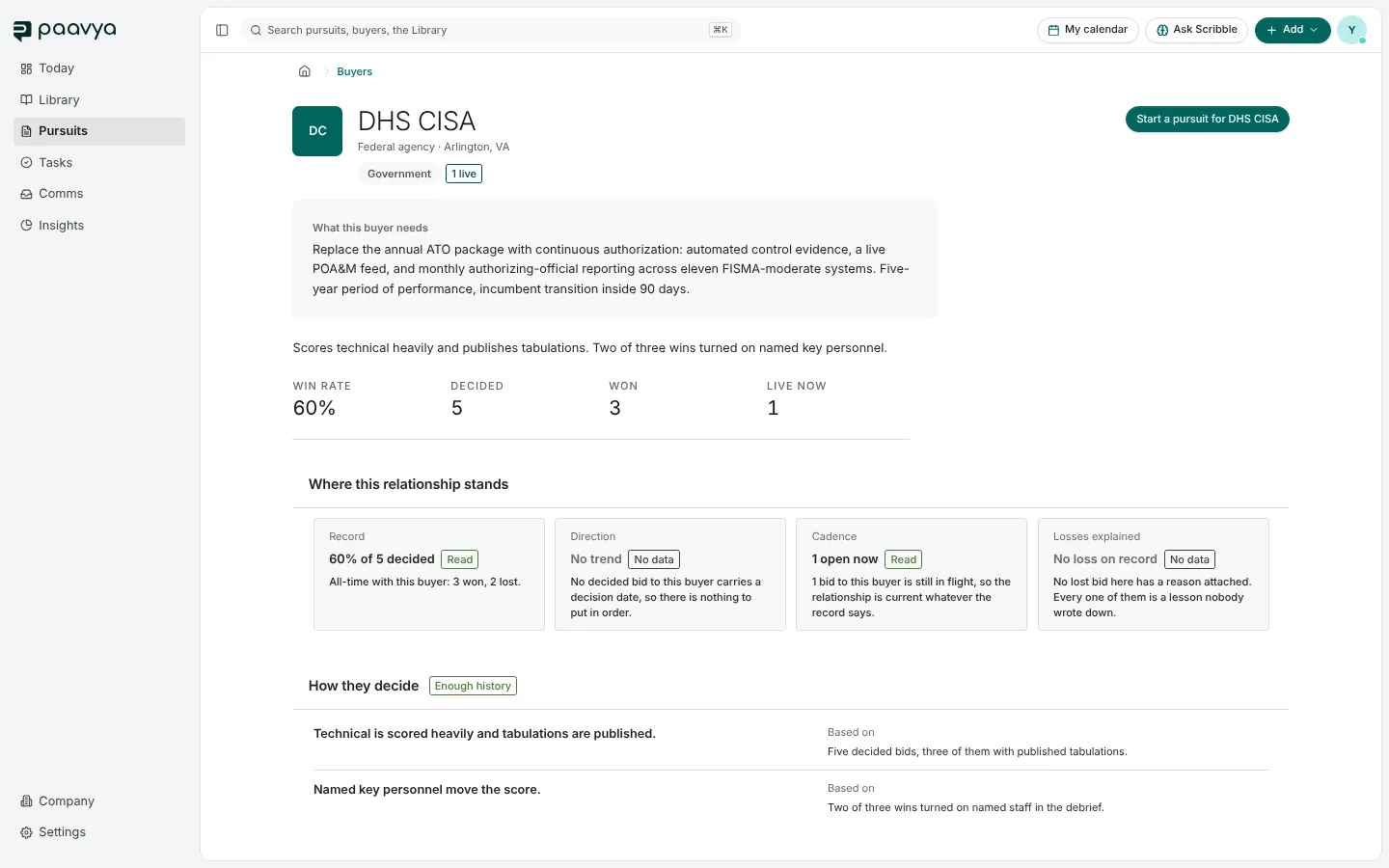
- What this buyer needs, from the notices you have read.
- Win rate, decided, won and live now: your record with them in counts.
- Where this relationship stands: your record, its direction, how often you bid and whether losses were explained.
- How they decide: what moves their score, each line with what it is based on.
- Start a pursuit for this buyer opens a new pursuit with the buyer already filled in.
Adding a buyer
Only a name and a type are required; pick Not sure yet if you do not know the type. You can add a website, UEI, CAGE code, a first contact, how they buy (portal, NAICS codes, contract vehicles, fiscal year) and notes. Identifiers are checked for format when you save.
Pictures are from Paavya's demo workspace, so names, bids and figures are illustrative. Something here does not match what you see? Tell us, or ask Scribble in the app.