Paavya on your phone
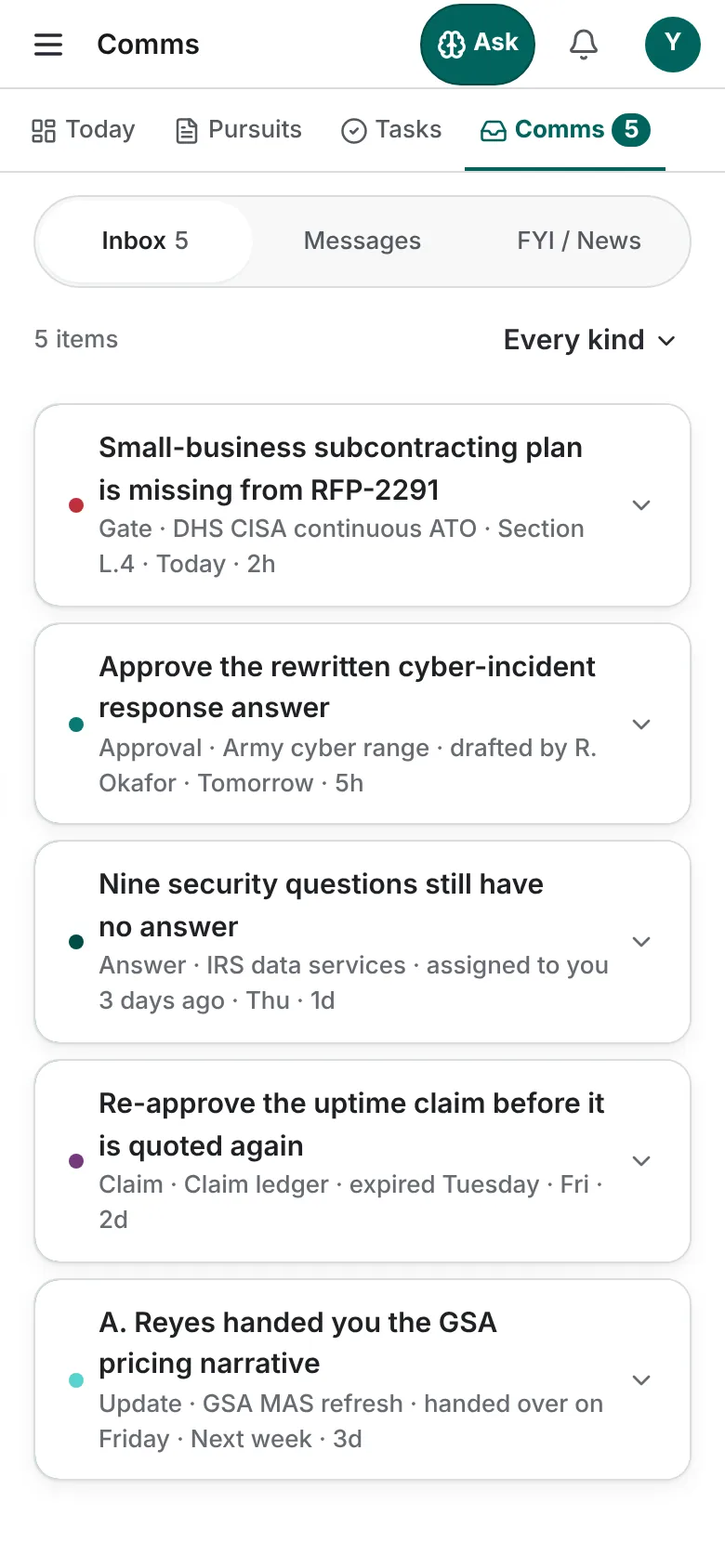
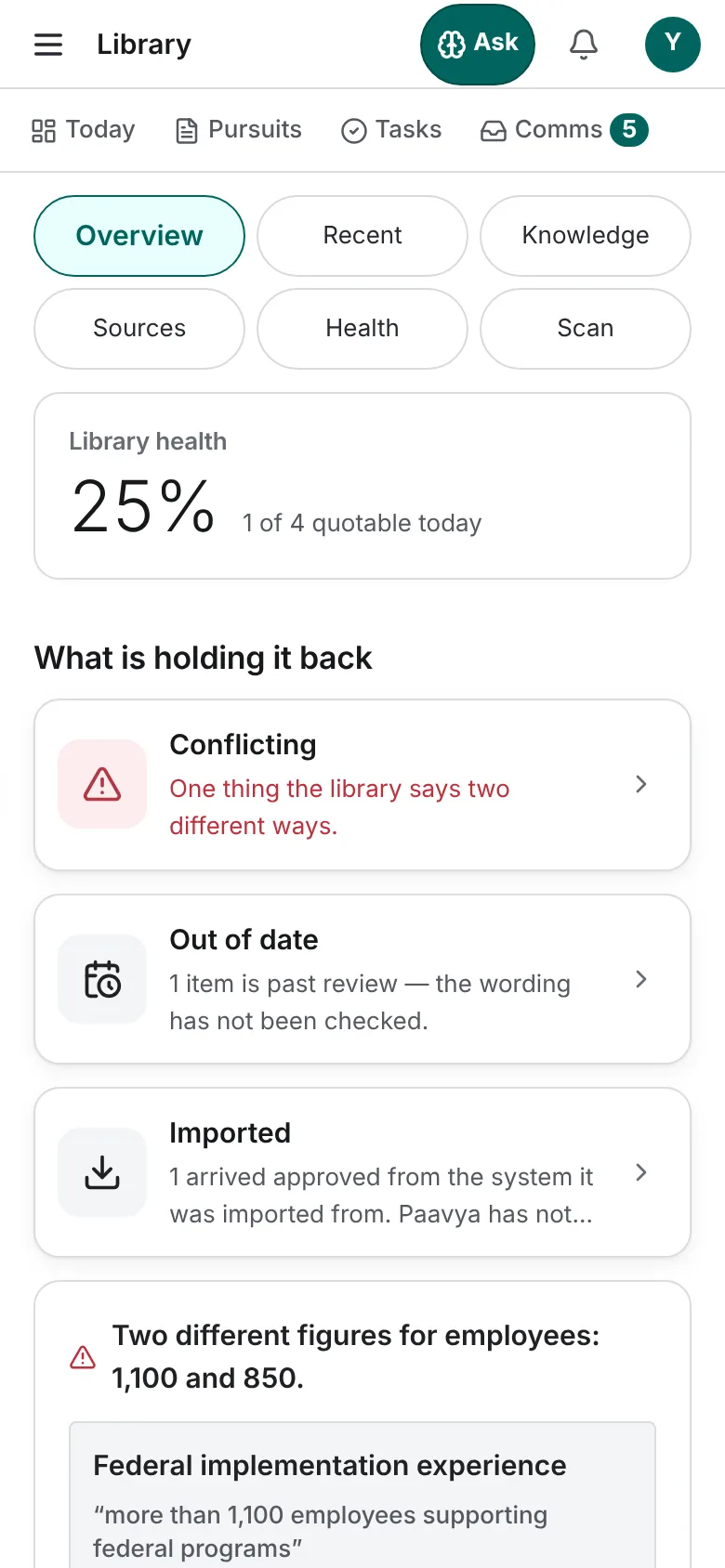
The same workspace on a phone, in the browser or the iPhone app. Today, your pursuits, tasks, Comms, the Library and Scribble.
Open app.paavya.com on your phone and Paavya fits the screen: the same pursuits, the same rules and the same Scribble, laid out for a thumb.
Getting around
A strip under the header takes you to Today, Pursuits, Tasks and Comms; the menu at the top left holds every other place. Ask in the header opens Scribble. In the iPhone app, the same places sit in a tab bar at the bottom and Face ID can lock the app.
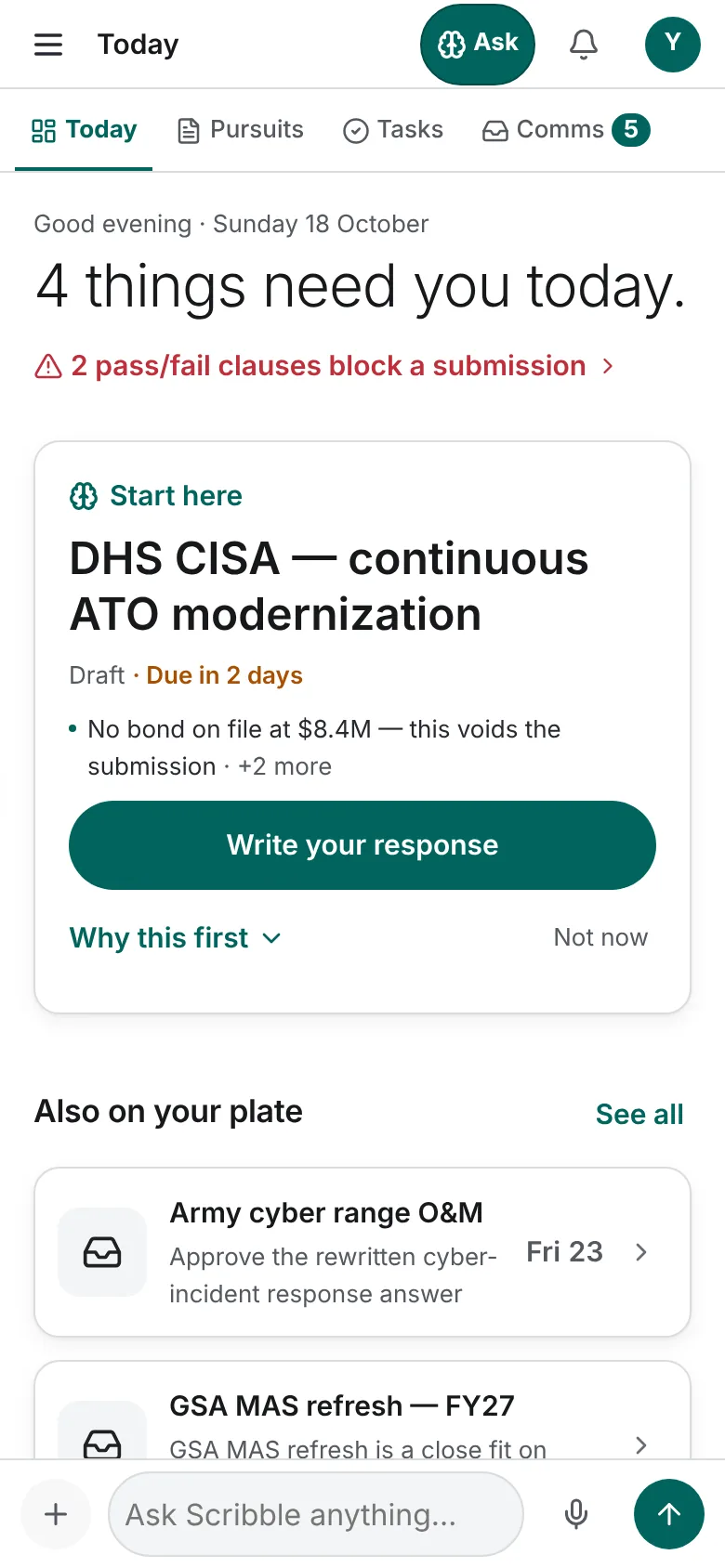
Today
- A headline counts what needs you today, with a red line only while a pass/fail clause blocks a submission.
- Start here: the one pursuit to work on first and its one action, with Why this first for the reasons.
- Also on your plate: the other items waiting on you, each with its date.
- What you can do: start a pursuit, add to the Library, your tasks and Ask Scribble.
Pursuits and a pursuit
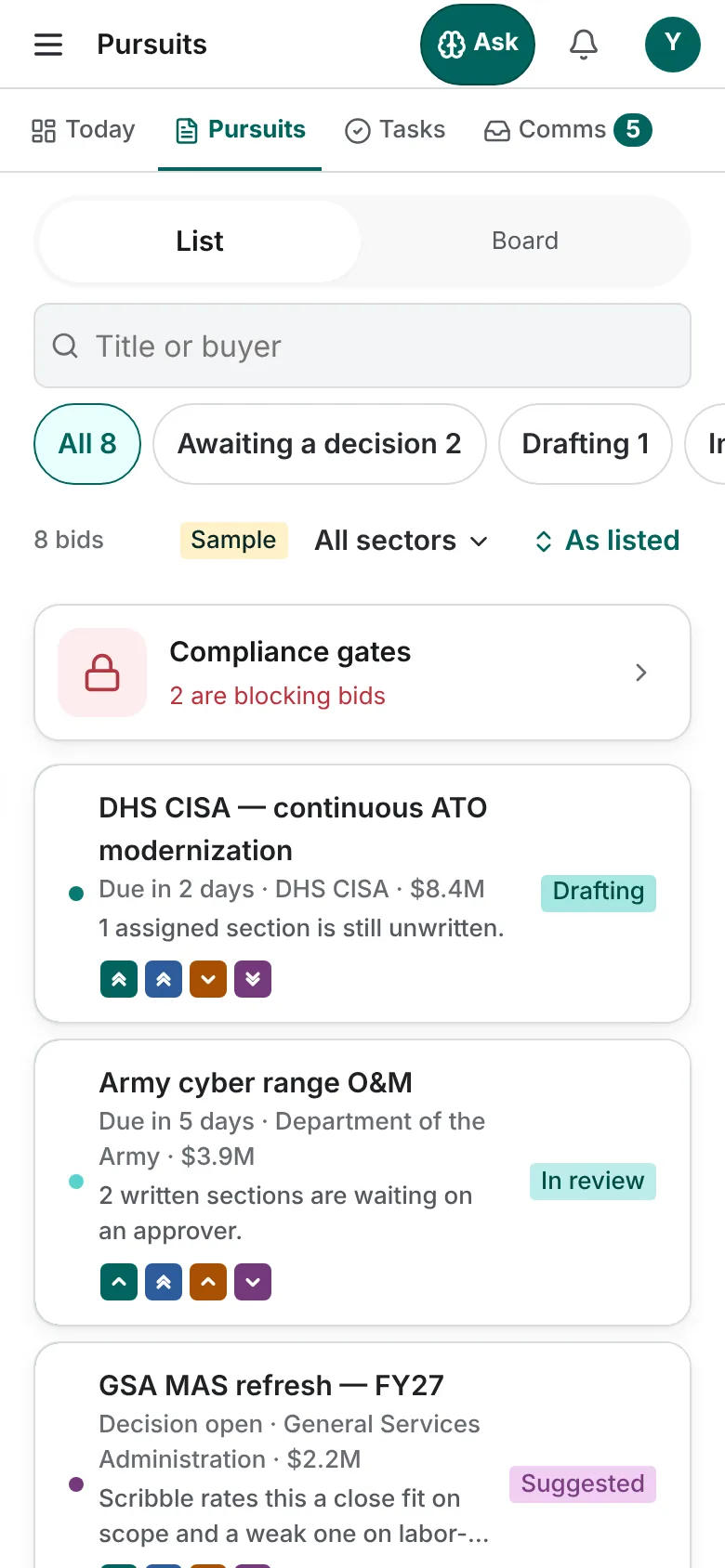
Pursuits is a list of cards with search and stage chips; switch to Board at the top. Swipe a row left for its actions. A full swipe never does anything destructive, and an action you may not take is shown disabled with the reason.
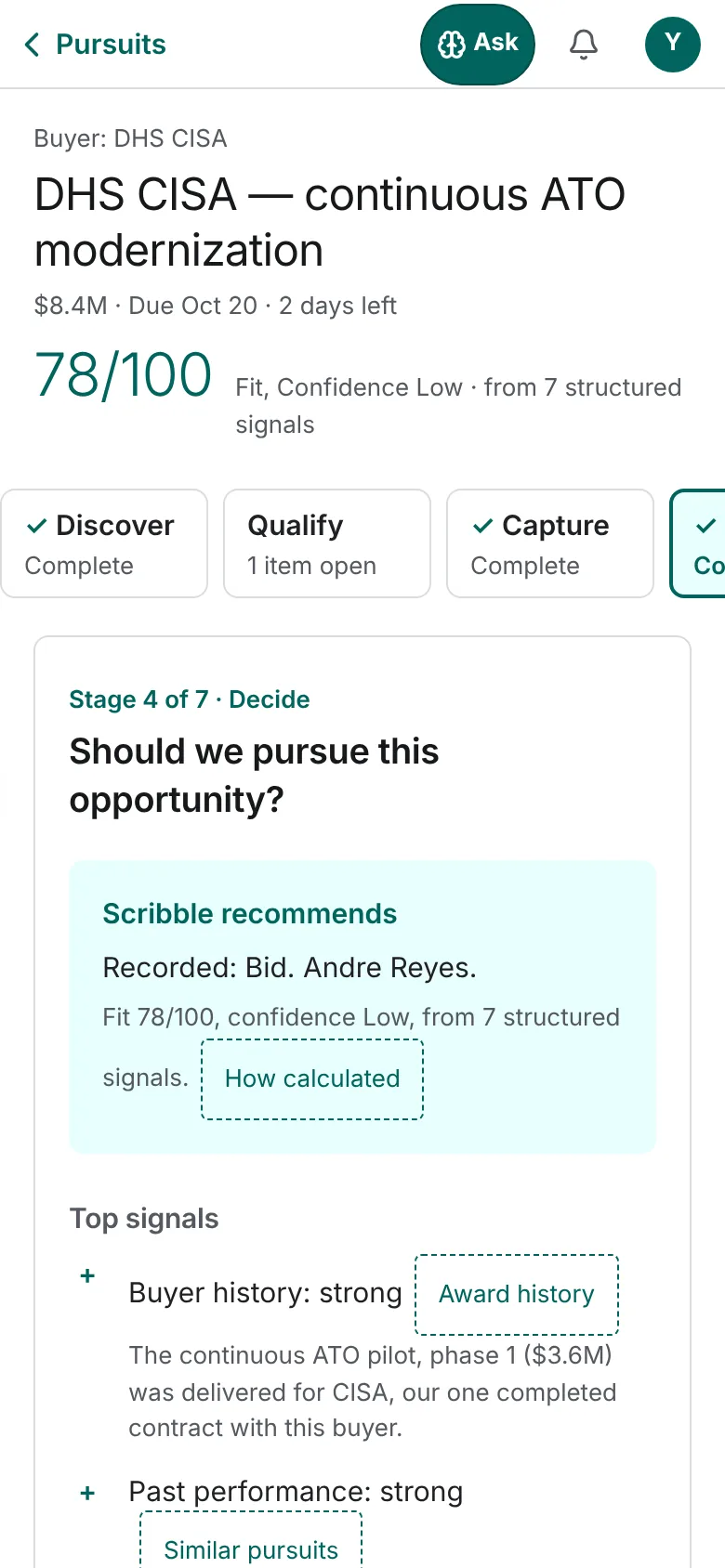
A pursuit opens on its stage, with the seven stages in a strip across the top. The stage's question, Scribble's recommendation and its actions are below, and the action you need is docked at the bottom of the screen. Every stage works on the phone, drafting and submitting included.
Tasks, Comms and the Library
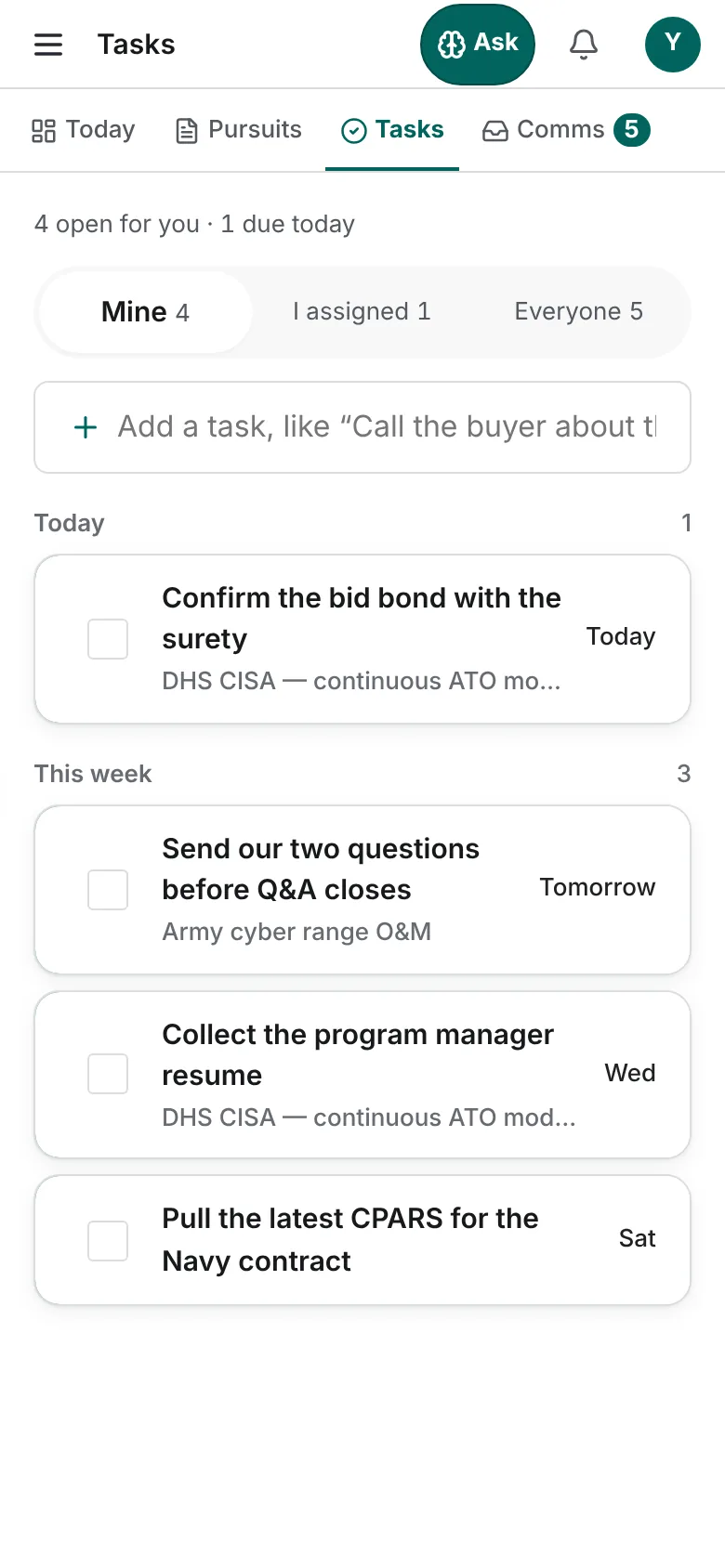
- Tasks: Mine, I assigned and Everyone, with the same one-line add.
- Comms: the Inbox, Messages and FYI / News. Filter the Inbox by kind.
- Library: Overview, Recent, Knowledge, Sources, Health and Scan, with what is holding the Library back.
Scribble on the phone
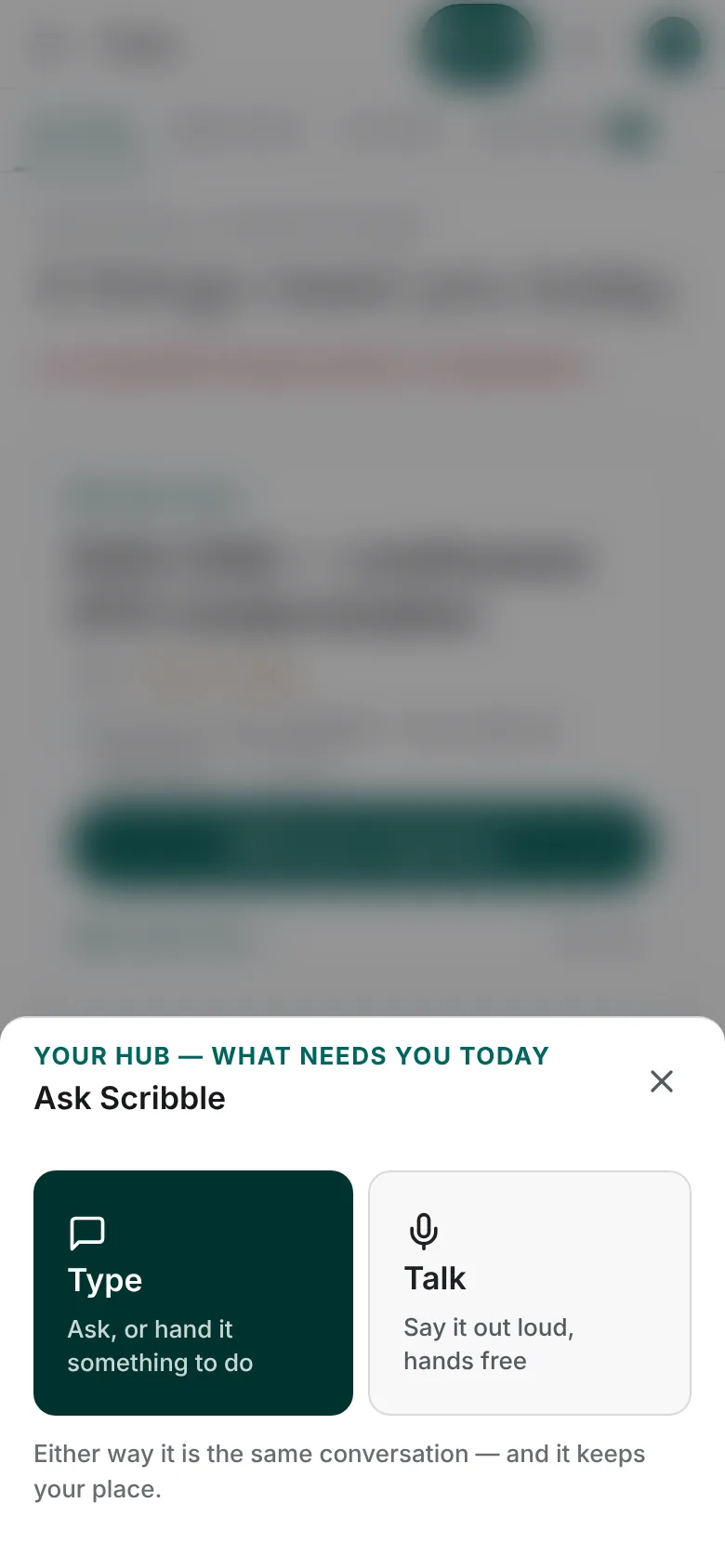
Ask opens Scribble over the page you are on. Choose Type to write, or Talk to speak and hear the answer aloud. Either way it is the same conversation, and it keeps your place.
Pictures are from Paavya's demo workspace, so names, bids and figures are illustrative. Something here does not match what you see? Tell us, or ask Scribble in the app.