Pursuits, as a list and a board
See every bid in one place, filter it down to what matters, and switch between a list and a board.
A pursuit is one opportunity your team is weighing or working, from first look to final result. Pursuits in the rail lists them all.
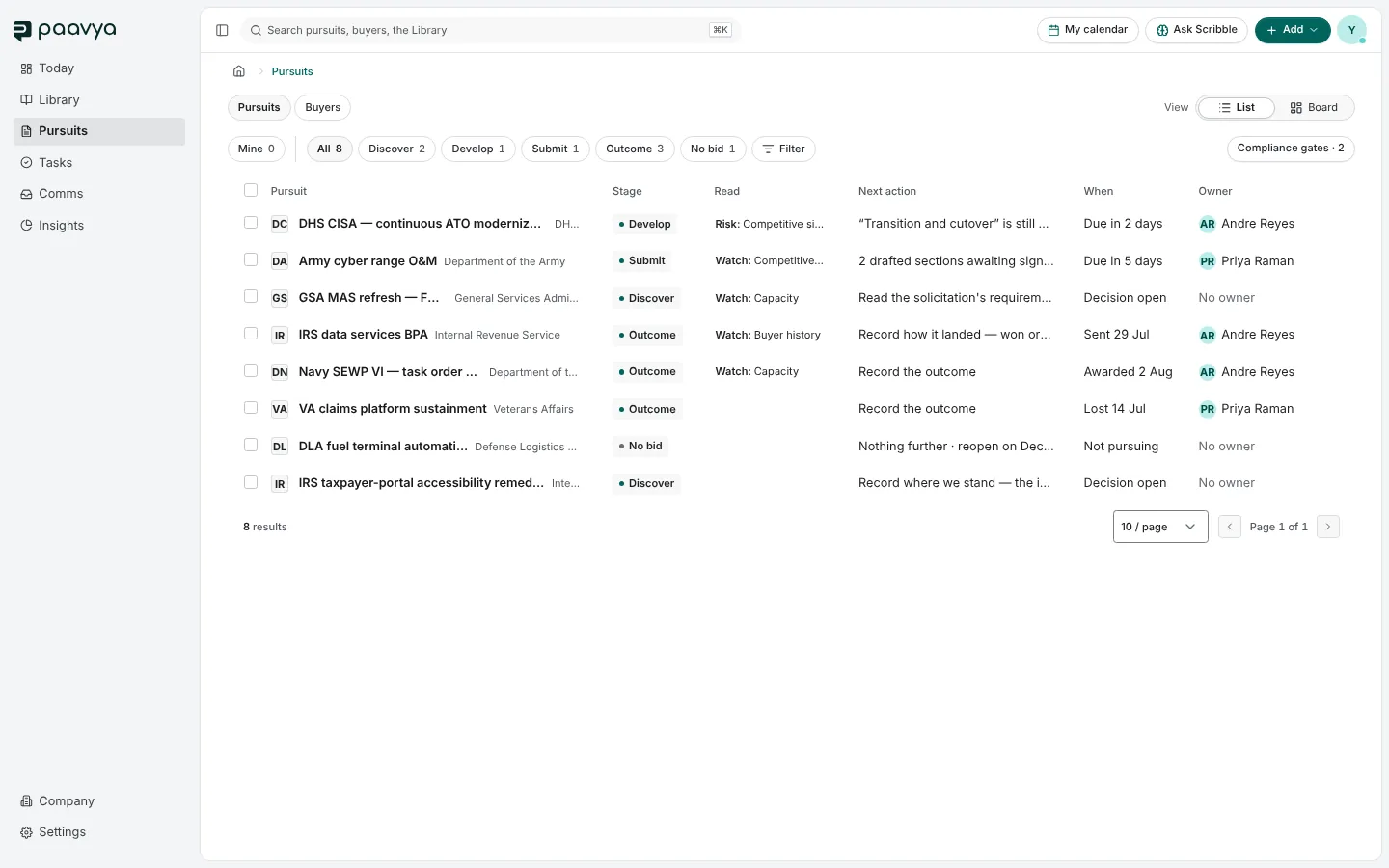
Reading the list
Each row is one pursuit:
- Pursuit: the title and the buyer.
- Stage: where it is in the seven stages, or No bid if your team passed on it.
- Read: how the bid reads in words, its strongest and weakest pillar, for example "Risk: Competitive signals".
- Next action: the one thing it is waiting on.
- When: the response date, or what happened and when ("Sent 29 Jul", "Lost 14 Jul").
- Owner: the pursuit's manager, or "No owner" when nobody holds it yet.
Click a row to open the pursuit. See The pursuit page.
Narrowing it down
- Mine shows only the pursuits you manage or are working on.
- Stage chips (All, Discover, Develop, Submit, Outcome, No bid) show one stage at a time, with a count on each.
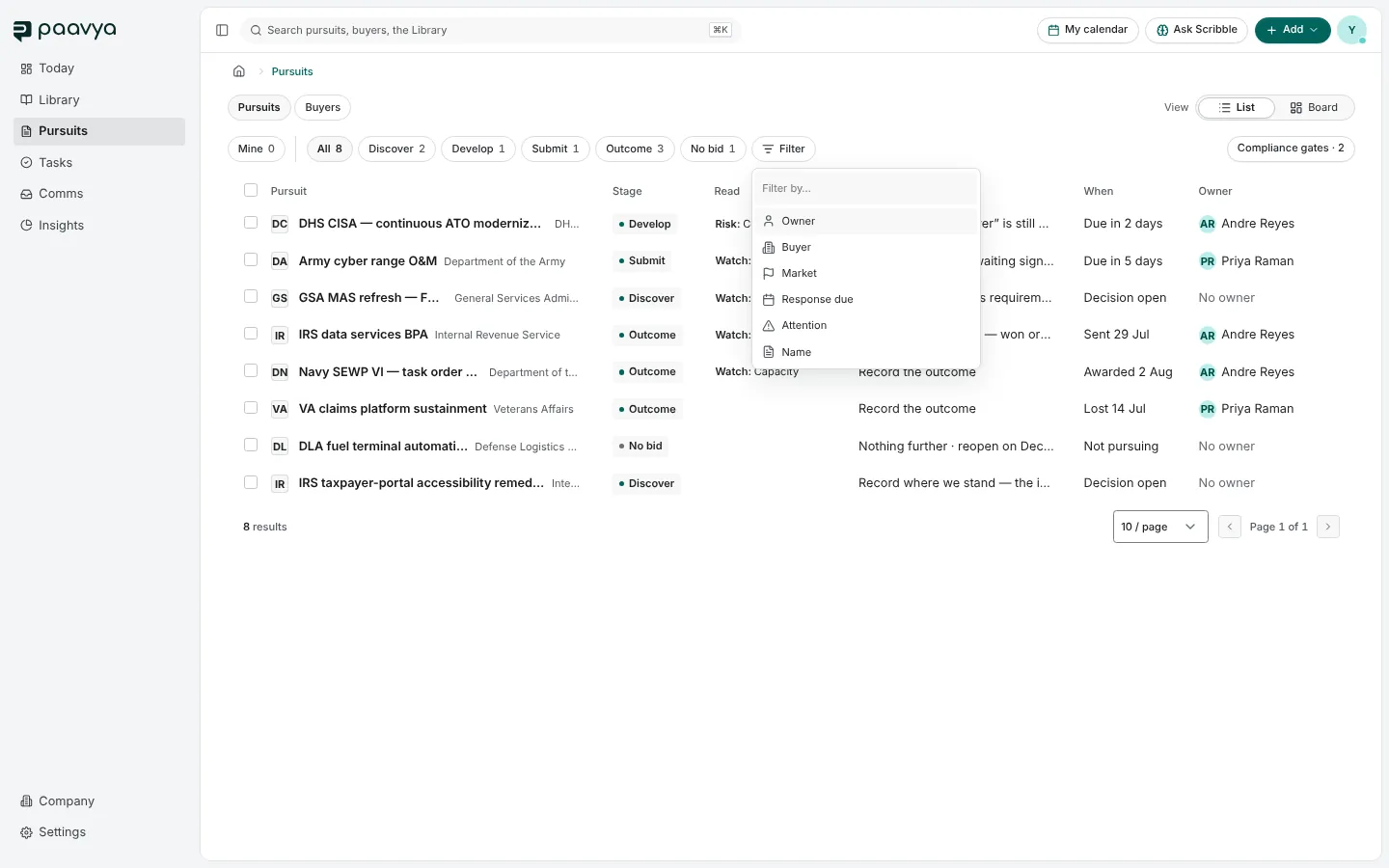
- Filter adds a condition on a property: owner, buyer, market, response due, attention or name. Each filter becomes a pill you can reopen to change, and Clear removes them all.
- Compliance gates, at the right, counts pass/fail requirements that are blocking bids and opens the list of them.
Paavya remembers your view, so the list opens the way you left it.
The board
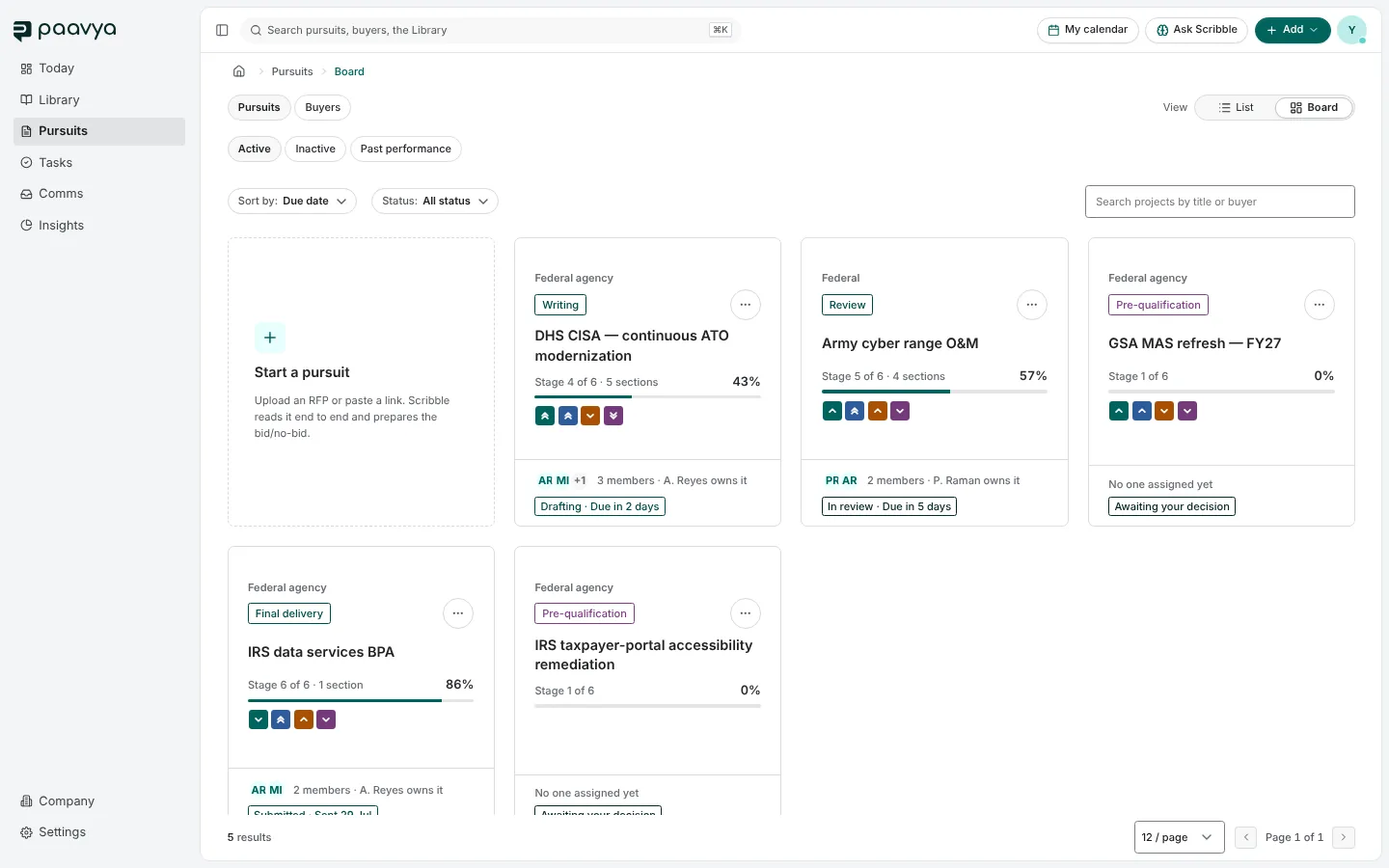
View › Board lays the same pursuits out as cards. Each card shows the stage, how much of the response is written, the four pillar marks and who is on it. The tabs above split Active, Inactive and Past performance, and you can sort by due date and filter by status. The first tile, Start a pursuit, opens a new one.
Pursuits and Buyers
The Pursuits · Buyers switch at the top left moves between bids and the organizations you bid to. See Buyers.
Pictures are from Paavya's demo workspace, so names, bids and figures are illustrative. Something here does not match what you see? Tell us, or ask Scribble in the app.