My calendar
Every buyer deadline, milestone and task on one timeline, with what needs attention first.
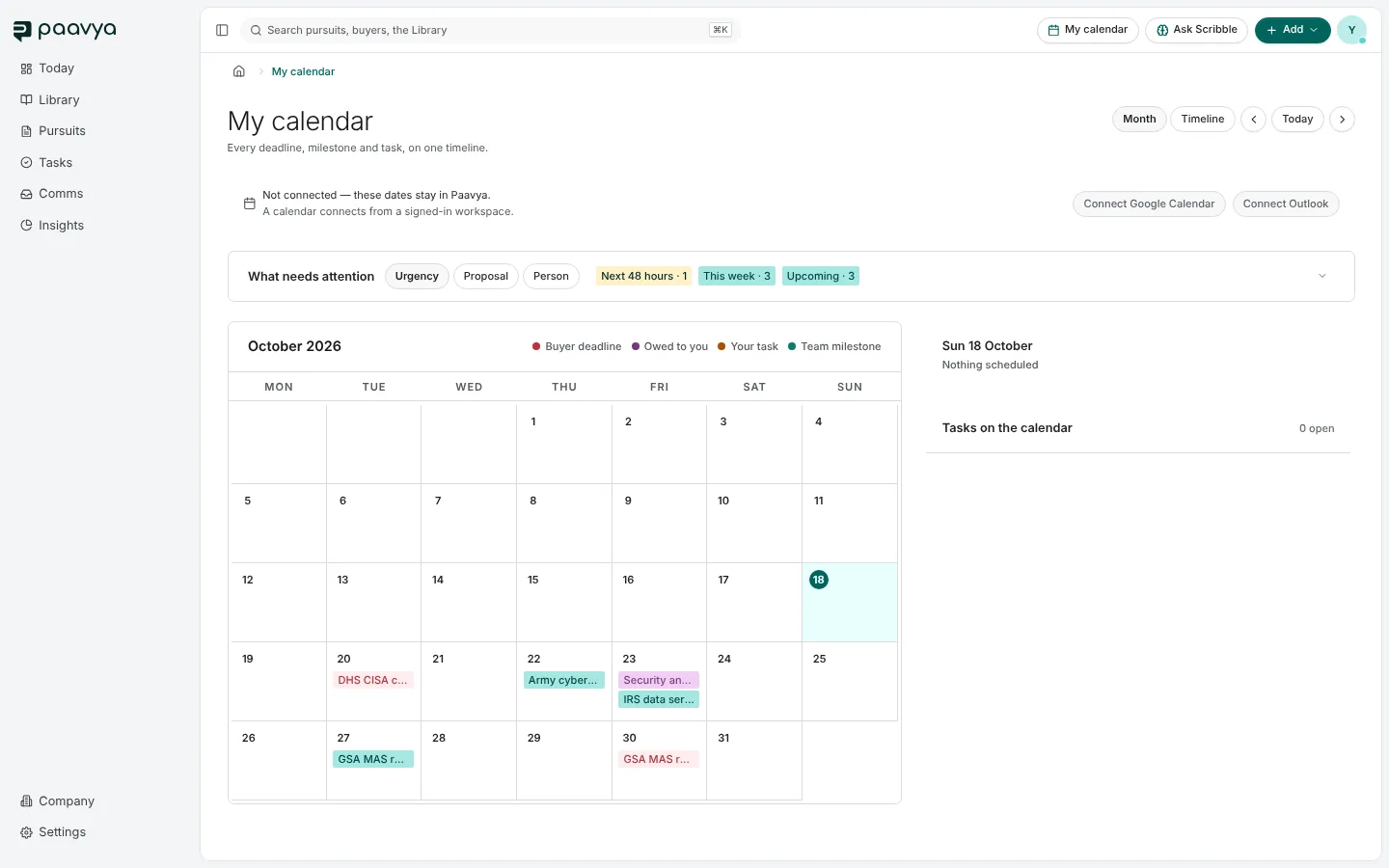
My calendar in the top bar puts every date that matters on one timeline: buyer deadlines, what is owed to you, your tasks and team milestones.
Reading it
- Month and Timeline switch the view; the arrows and Today move through time.
- The legend colors each kind: Buyer deadline, Owed to you, Your task and Team milestone.
- Pick a day to see its items at the right, with tasks on the calendar underneath.
- What needs attention groups the next 48 hours, this week and upcoming, and can be grouped by urgency, proposal or person.
Connecting your own calendar
Connect Google Calendar or Connect Outlook to see Paavya's dates beside your own. Until you connect, the dates stay in Paavya.
Pictures are from Paavya's demo workspace, so names, bids and figures are illustrative. Something here does not match what you see? Tell us, or ask Scribble in the app.