Develop: assign the team
Give each section of the response an owner and a date, choose the final approver, and let Scribble start the first draft.
Develop is where the response gets written. It starts with a plan: who writes each section, by when, and who signs off at the end.
The stage page
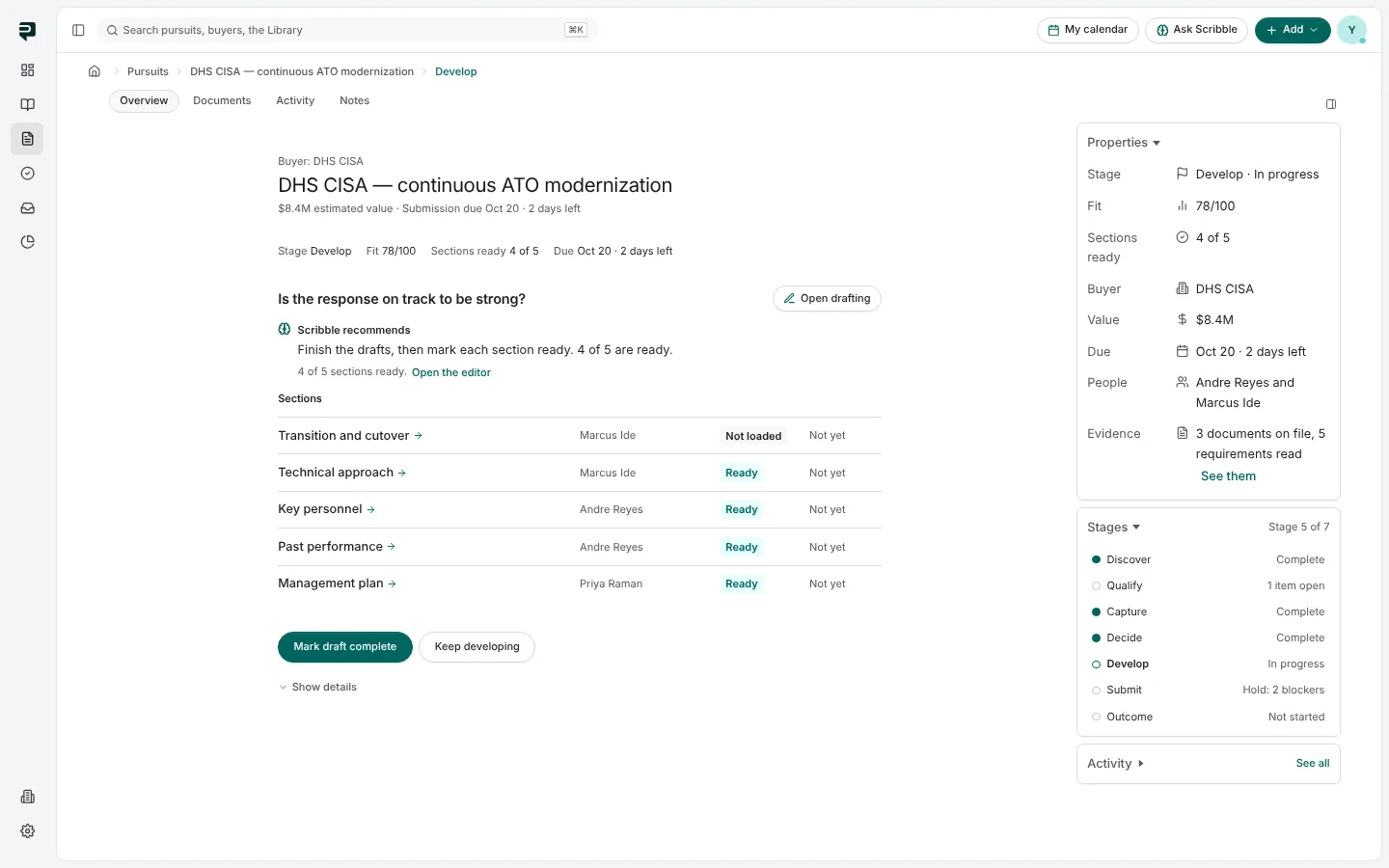
Is the response on track to be strong? The page lists every section of the response with its owner, its state (Ready, Drafted, inputs owed, Empty) and its approval. Click a section to open it in the editor, or press Open drafting for the whole workspace. See The drafting workspace.
Section ownership
The plan is its own page, reached from Develop's details.
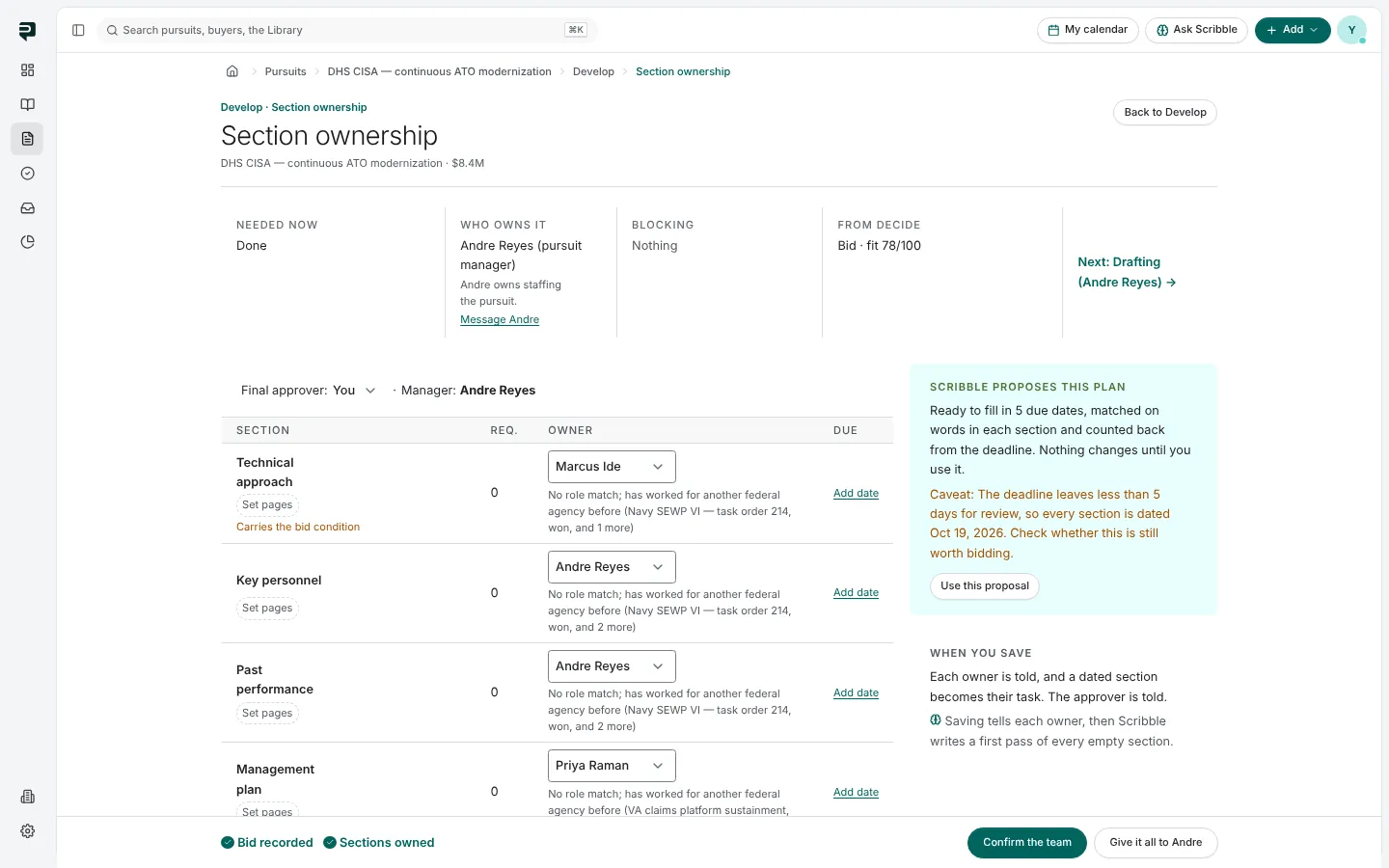
- Final approver and Manager sit above the table.
- Each section gets an owner and, optionally, a due date. Under each owner, a line says why that person fits: a role match, or recent work for this buyer.
- Pages sets a section's page budget when the solicitation limits length. Sections without one share what is left.
- Scribble proposes this plan at the right: owners matched on the words in each section and its requirements, dates counted back from the deadline with time kept for review. It says plainly where a match is weak or a date is tight. Use this proposal fills the table; you change anything before saving.
Saving the plan
- Confirm the team saves it. Each owner is told, a dated section becomes that person's task, and the approver is told.
- Give it all to the manager is for a small bid one person will write. Every section and the approval go to the manager.
A plan with blanks still saves: open sections and a missing approver go to the manager.
Pictures are from Paavya's demo workspace, so names, bids and figures are illustrative. Something here does not match what you see? Tell us, or ask Scribble in the app.