Comms
Your inbox of handoffs and approvals, direct messages and group chats with teammates, and Scribble, in one place.
Comms is where work is passed between people. It has three tabs: Inbox, Messages and FYI / News. Each tab shows its count.
Inbox
The Inbox holds what is waiting on you: a section handed to you, an answer to approve, a question only you can answer, a gate blocking a bid.
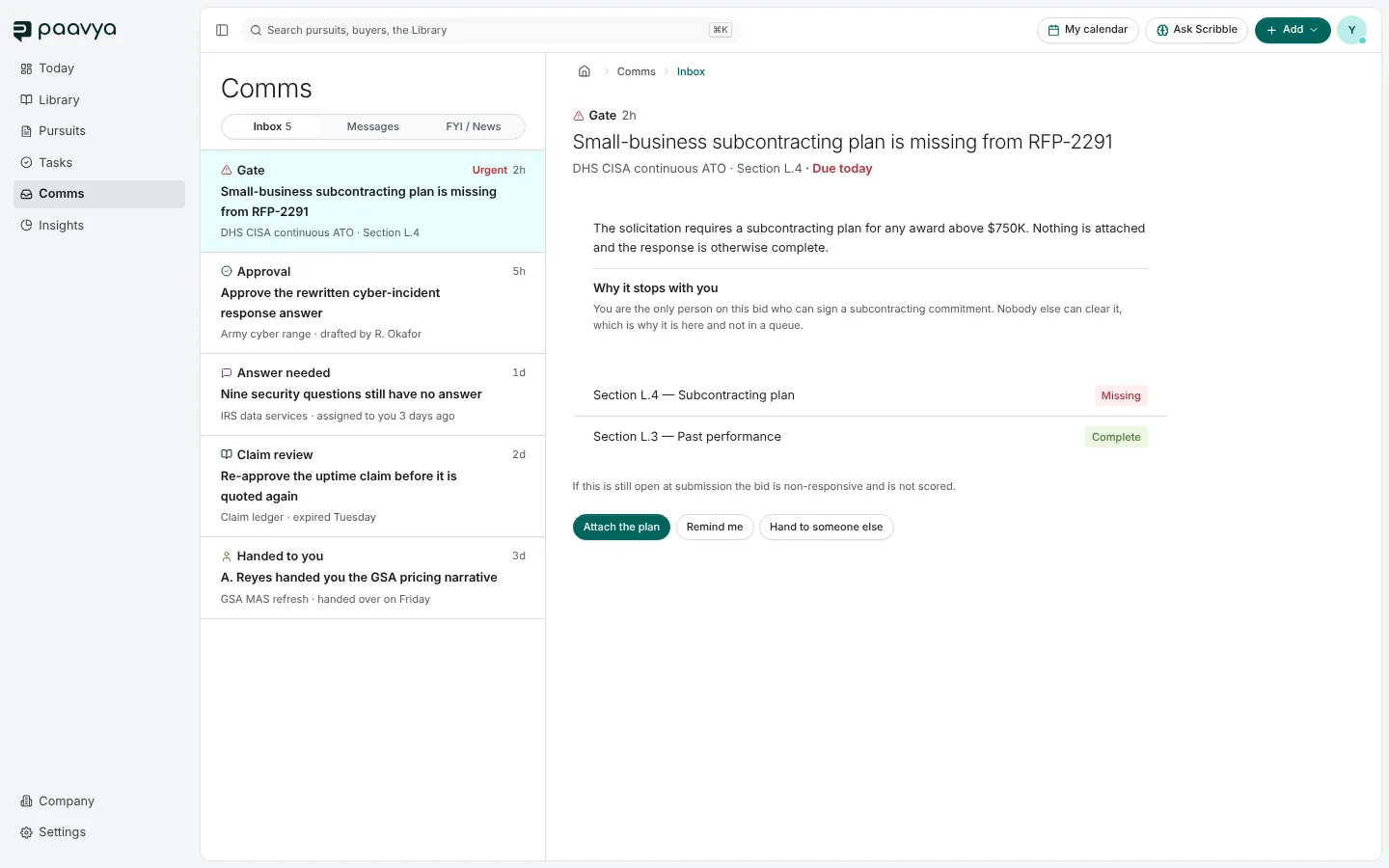
Each item names its kind (Gate, Approval, Answer needed, Claim review, Handed to you), its pursuit and when it arrived. Open it to see what is asked, why it stops with you, and its actions, such as Attach the plan, Remind me or Hand to someone else.
FYI / News holds updates that ask nothing of you, such as "the response went out" or "a step was completed".
Messages
Messages has three kinds of conversation: Scribble, DMs and Group chat.
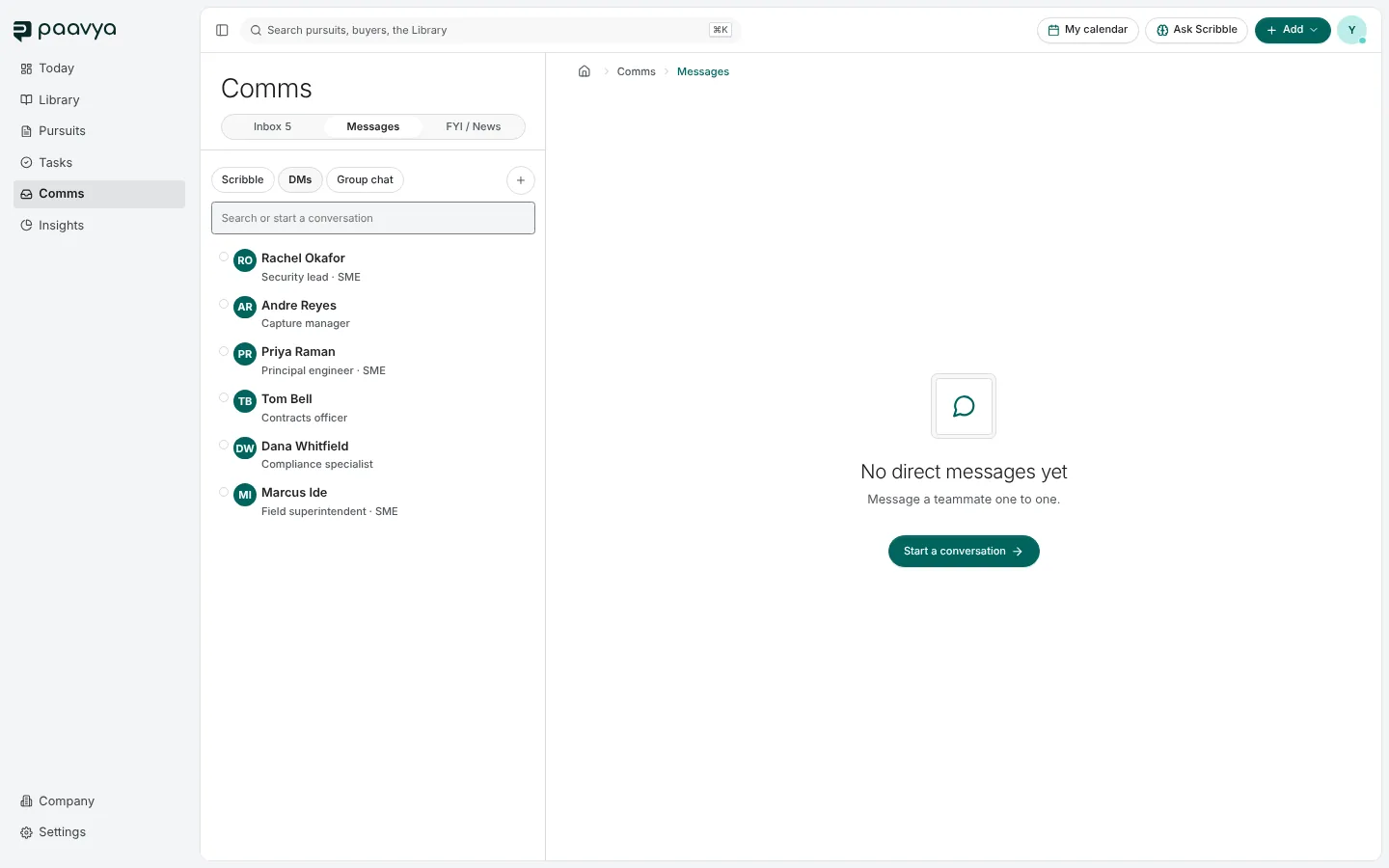
- DMs lists your teammates. Pick one to start, or search. A dot shows who is online, and you see when someone is typing.
- Group chat is a conversation with several people. The + starts one.
- Scribble is your conversations with Scribble. See Ask Scribble.
Messages appear as chat bubbles, and you can react to one with an emoji.
How notifications reach you
Choose which kinds of notification you want in Settings › Notifications. Switching a kind off hides it rather than deleting it, so turning it back on shows what arrived in the meantime. Things you asked for directly, such as "tell me when Scribble finishes", always arrive.
Pictures are from Paavya's demo workspace, so names, bids and figures are illustrative. Something here does not match what you see? Tell us, or ask Scribble in the app.